Desktop backup bridge for Android tinkerers
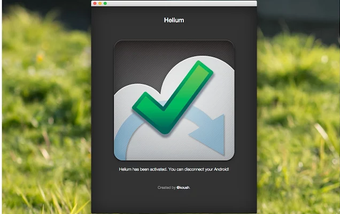
Helium Backup by ClockworkMod is a Chrome-based backup companion designed to work alongside the Helium Android app. Rather than serving as a standalone backup manager, it helps activate and manage app backup functions for Android devices, particularly for users who want backup without root. Its main value comes from bridging desktop and mobile backup processes, although its aging framework can create compatibility concerns.
Top Recommended Alternative
.jpg)
A Chrome-side helper for app data protection
Helium Backup’s Chrome utility focuses on enabling communication between a desktop environment and Android devices for app and data backup. This setup helps users preserve app progress, settings, and local data without full system modification. It supports local and cloud-connected backup workflows through the broader Helium ecosystem, although it depends heavily on the paired Android app for full functionality.
Useful flexibility, with extra setup attached
The extension-like Chrome app makes non-root activation more accessible by providing a desktop-side utility for backup management. Scheduled backups, app syncing, and broader storage flexibility remain key strengths when paired with the Android version. However, setup can feel dated compared to newer backup solutions, and successful use often requires additional steps that casual users can find inconvenient.
Practical for backup veterans, less so for casual users
Helium Backup’s Chrome companion remains useful for users seeking Android app backup support through desktop-assisted activation. Its flexibility and no-root functionality still offer practical value, especially for app migration or preservation. Still, its dependence on the larger Helium system and older compatibility profile make it better suited for experienced users than those wanting a modern plug-and-play solution.